macOS · Linux · terminal multiplexer
 RACE
RACE
Run Anything in Canvas Environment
150 terminals. 75 Claude Code agents. 3 canvases.
tmux gives you panes. RACE gives you a map.
Free for 14 days, with no limits. After that, you need a license to open new terminals.
A terminal multiplexer built as an infinite, zoomable canvas. Terminals are windows you place, resize, group, and pan around, not tiles in a grid.
>_ See it move


>_ Why?
Your workspace should hold its own context, so you don't have to hold it in your head.
-
Twenty terminals. Now what?
Tabs hide active work. Panes shrink until nothing has enough room. Mix
them together, and you're left tracking agents, editors, tests, and logs
in your head.
RACE gives every context a visible place on the canvas. -
You're human, right?
Did you know you have awesome spatial memory?
RACE gives every context a stable place on an infinite canvas. Keep related terminals together, and make them distinct with size, font, theme, and group color, so you remember where your work is and don't have to search for it. - What was I doing? RACE gives you tools to keep track of the whole workspace. Zoom in to focus, zoom out to see agents progressing and tests running, and read terminal activity at a glance. Pin something important to keep it visible while you work elsewhere.
- We've got you covered I use RACE every day, like you, and there's nothing worse than losing work. RACE keeps each session in a separate PTY host to protect as much as possible. Quit RACE before the weekend, and pick up where you left off on Monday morning.
>_ Features
Infinite canvas
Terminals live at real coordinates on a surface you pan and zoom, from inside one terminal out to the whole session. Each canvas in the sidebar keeps its own working directory and viewport across restarts.
Custom rendering engine
You might not care, but if I don't get 144 FPS in my terminal, I get
a face itch.
Butter-smooth terminals for you, no face itch for me.
Shells outlive RACE
Every shell runs in its own detached PTY host. Restart RACE, and each terminal gets back its screen, its scrollback, and a replay of exactly the output it missed, with no gaps and no duplicates. Crash recovery reconnects orphaned shells.
Agents drive it
The bundled race-mcp server gives agents more than 40
tools. Agents read what a terminal shows and type into it. They set its
accent color, mark it as important, or make its border blink until you
look. They create, move, group, mirror, pin, and theme anything on the
canvas. It's off by default; turn it on in the About box.
Scriptable from the shell
race-control does everything the MCP server does, from a
script. race-control accent caller #F76C14 colors the
terminal it runs in, and race-control blink in-group:build
flags every terminal in the group labeled "build". Call it from hooks,
prompts, and build scripts.
Far-fetched agents
race-mcp also serves MCP over HTTP, with a bearer token.
Publish it with tailscale serve, and an agent on another
machine drives your canvas.
No AI? Also fine
RACE is a backronym. It's a terminal runner first, and a canvas of persistent terminals earns its keep whether agents type into them or you do.
Search
Command+/ finds a terminal by its title. Command+Control+/ also searches the text on its screen. Group labels match too, and Enter zooms to the match.
Mirrors
A second live window on the same shell. It shows everything the shell prints and sends everything you type. Send one to another canvas to keep a build or log in view wherever you work.
Groups
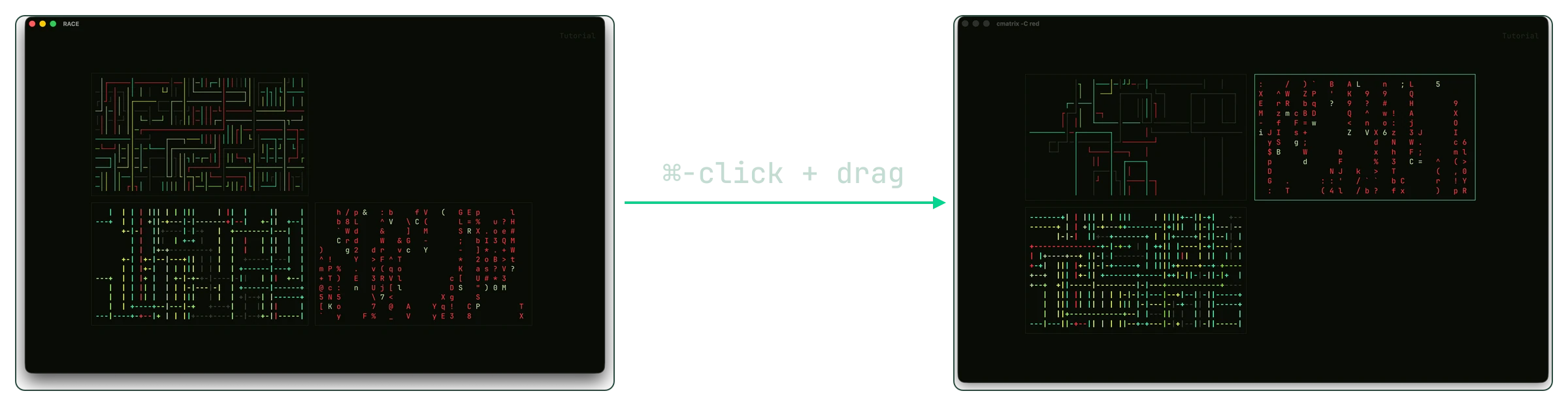
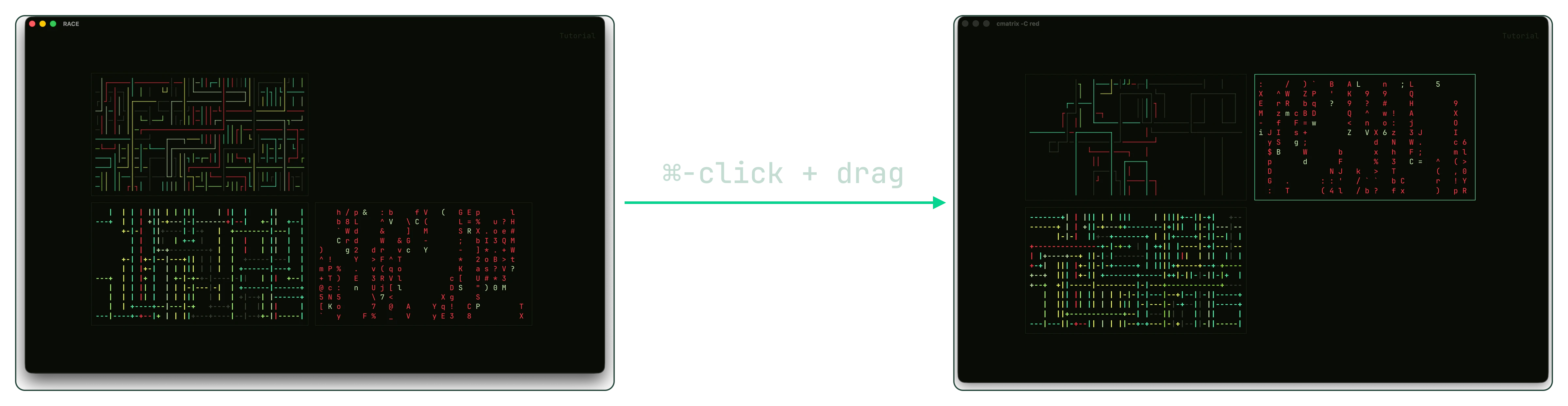
A dashed, tinted frame around related terminals. Command+drag the frame, and everything inside moves with it. Resize it to change what's inside. Command+F zooms to it.
Portals
Select a group frame and press Command+M to open a portal to it on another canvas: a copy of the frame with a live mirror of every terminal inside. Bring portals from several canvases onto one, and you have a control space for all your scattered work.
Inactivity monitor
RACE watches a terminal for you. When it goes quiet, its border blinks in its highlight color until output resumes, so a finished build stands out across a wide canvas.
Importance marks
Command+E marks a terminal as important. Command+[ and Command+] step through the marked terminals in the order you marked them, and zoom out only when one doesn't fit. On Linux, use Super+[ and Super+].
Tint on zoom
When you zoom out, borders thin to a hairline. Below 50% zoom, a terminal with its own accent color takes on a tint of it, so you can pick out your terminals from across the canvas.
Deep links
Copy Link on the menu of a terminal, group, picture, or label copies a
link such as race://terminal/2140. Keep it in your to-do
list or notes. Open it from anywhere to switch to its canvas and frame
the element.
611 built-in themes
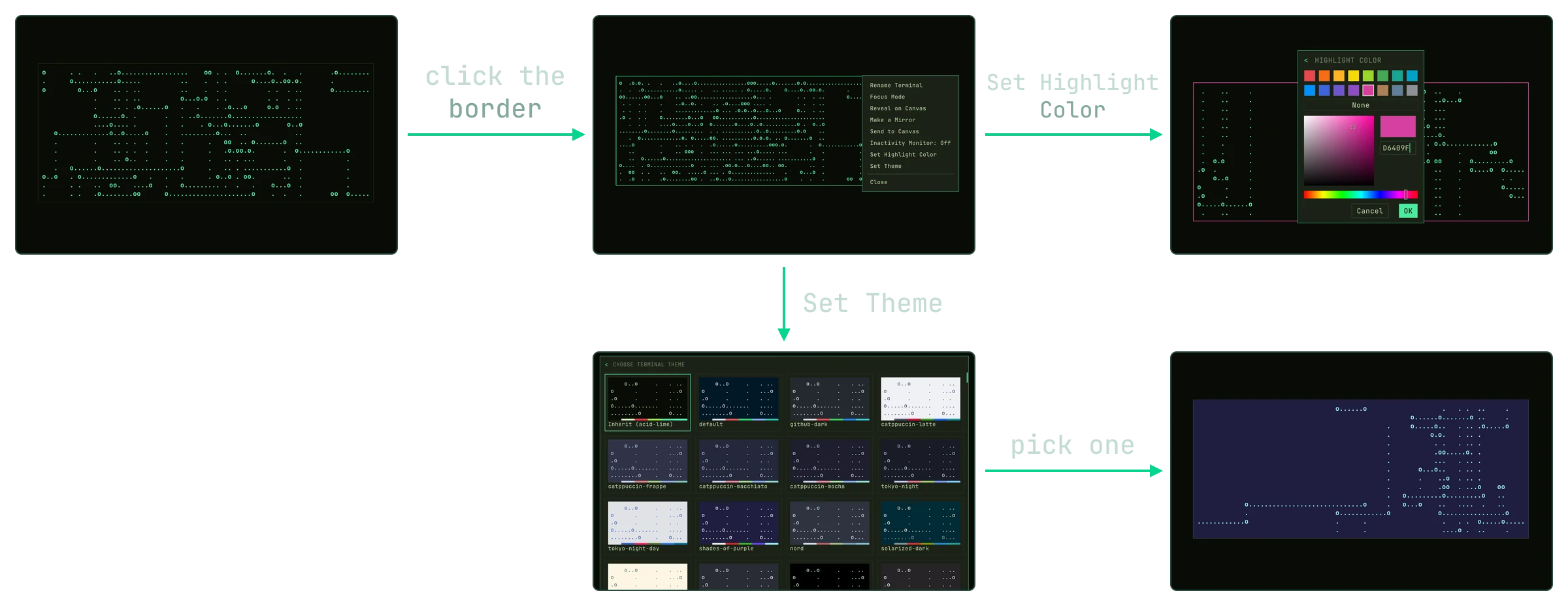
Set a theme for each canvas or terminal. RACE also reads Alacritty
themes from <RACE_CONFIG>/themes. Not enough? You
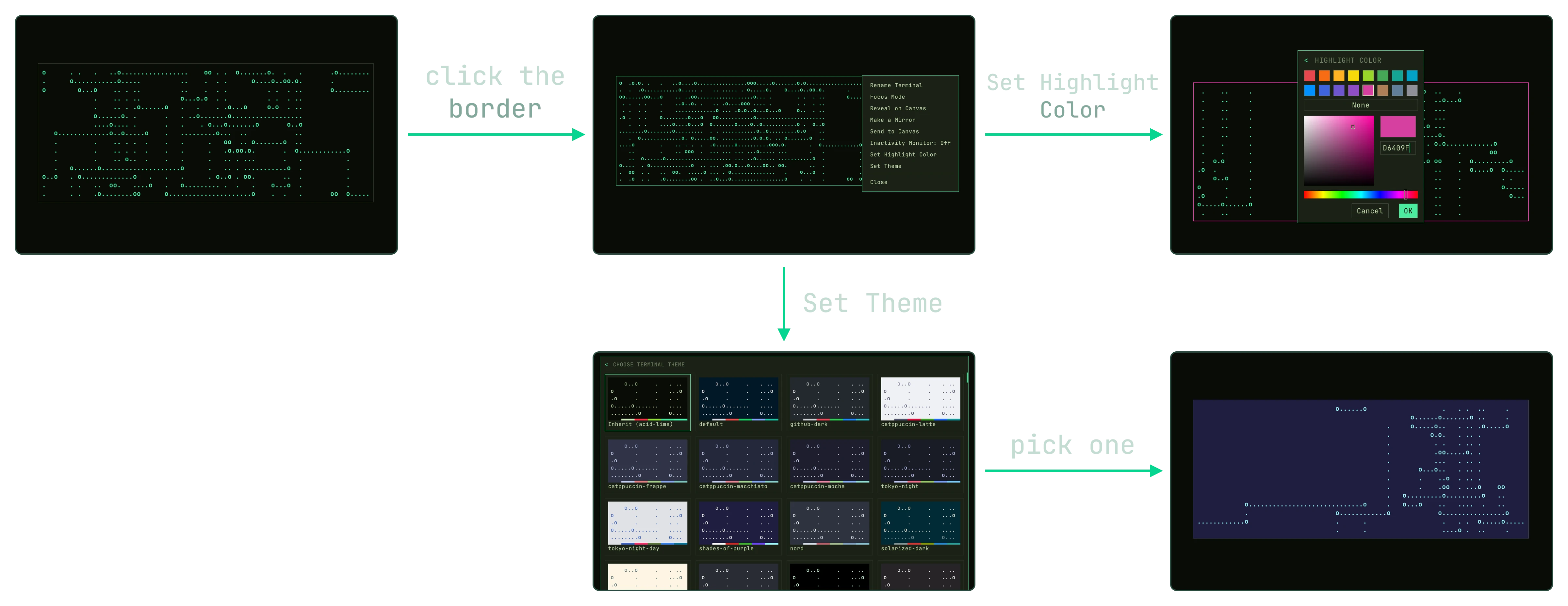
can change the terminal highlight color too.
Pinning
Command+P pins a terminal to a place on screen, and the canvas moves underneath it. Superpin (Command+Shift+P) makes the pin follow the canvas instead. A pin keeps the zoom it was made at.
Images on the canvas
Place a picture from a file or the clipboard, and it moves, resizes,
and snaps like a terminal. Keep a diagram or a screenshot beside the
shells working on it.
Or add an animated cat. We don't judge.
Full keyboard fidelity
RACE supports the Kitty keyboard protocol, so Shift+Enter, Control+Enter, Option+Backspace, and every function key reach the application. Every menu works from the keyboard, and Command+? opens an overlay with every shortcut.
Looking Glass
Command+Z reserves one side of the window. Zoom out, point at a terminal, and it appears there at full size, so you can read it without zooming in. Click it to focus it.
More details
- Focus Mode: Command+F zooms the selection to fill the view. Press it again to return to where you were.
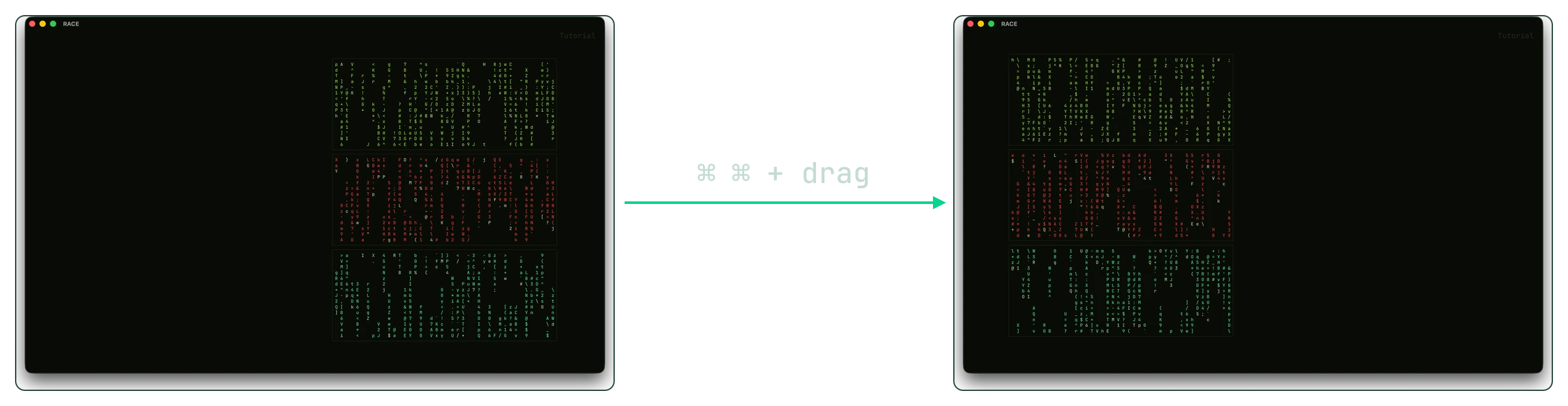
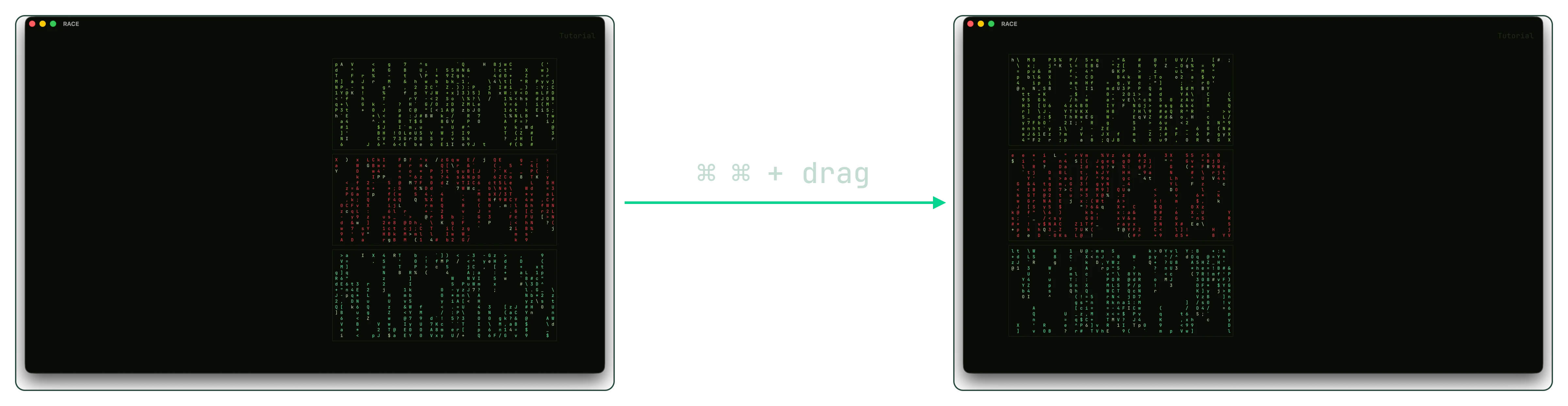
- Double-Command pan: tap Command, then hold it, and the pointer drags the canvas without a click.
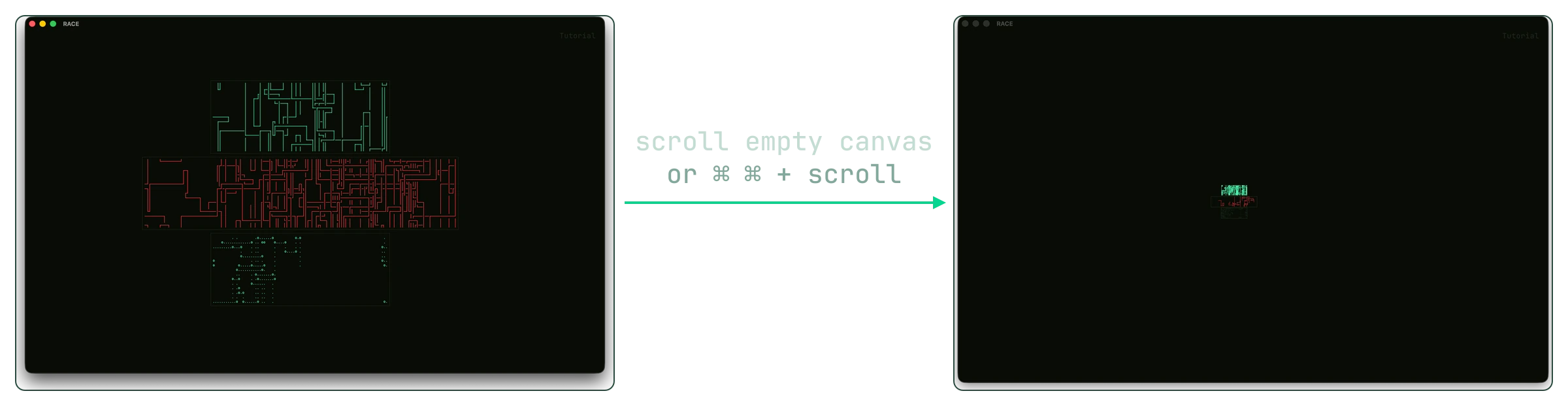
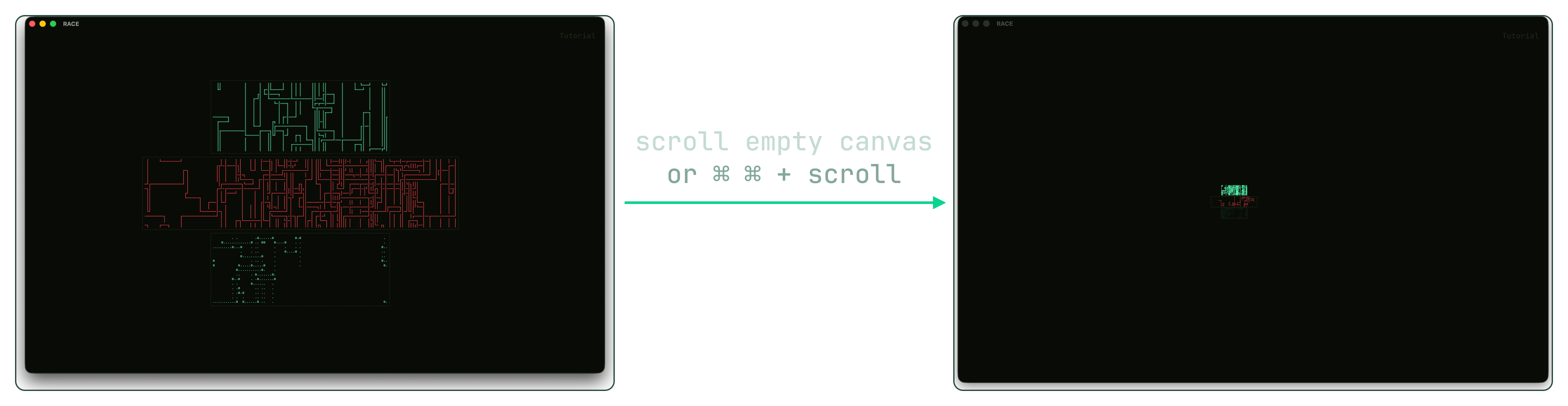
- The wheel goes where you look: it scrolls the terminal under the pointer, focused or not. Over empty canvas, the wheel zooms and a two-finger swipe pans.
- Smart selection: copying a wrapped line gives you one line, without hard breaks. Command+click opens links, including wrapped URLs and OSC 8 hyperlinks.
- Resize reflows: when you widen a terminal, its scrollback reflows to fill the width.
- Scrollback keys: Home, End, Page Up, and Page Down scroll the terminal when no application has taken the keyboard.
- Window tabs: Command+R names a terminal. Title mode shows what the shell reports instead.
- JetBrains Mono by default: set any installed font family in the config. RACE adds system fallback, fitted box drawing, and color emoji.
- Rebind every shortcut: choose the prefix key, and bind any action under
[keyboard.shortcuts]inconfig.toml. - Live configuration: override any part of
config.tomlin~/.config/race/. Changes apply without a restart. - Everything comes back: canvases, viewports, names, sizes, groups, themes, mirrors, pins, monitor state, the terminal modes an application set, and even full screen and sidebar width.
>_ Quickstart
Learn five gestures, and you know the whole thing. Watch video tutorials on YouTube.
-
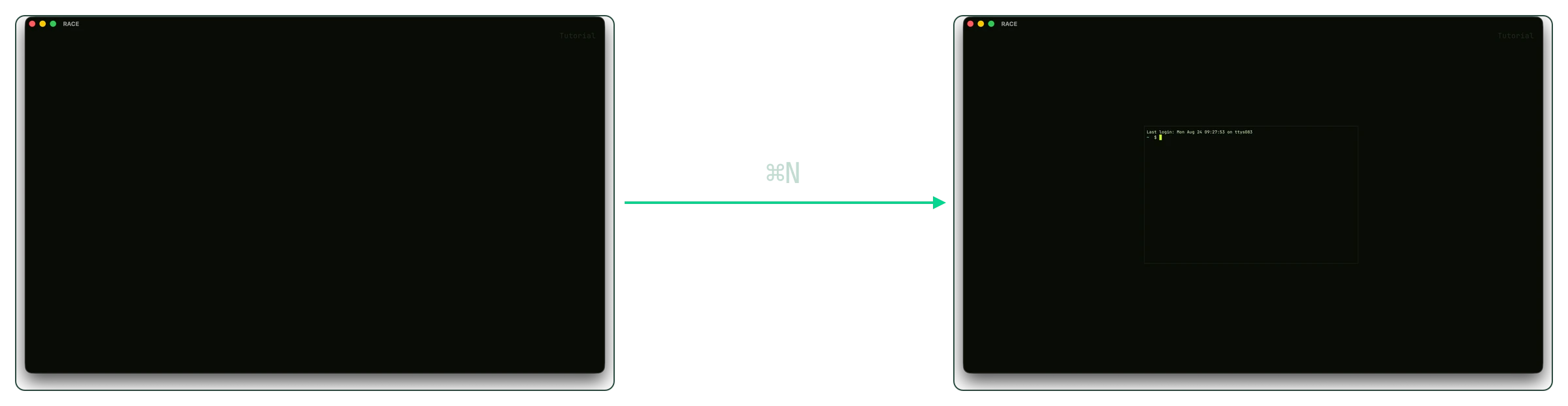
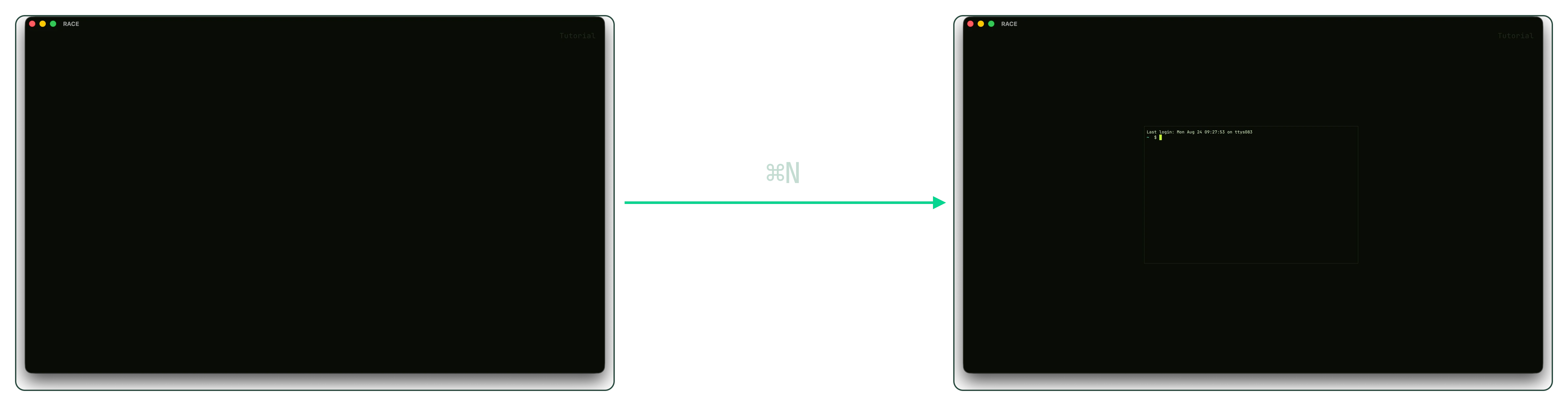
1Open a terminal
-
2Move a terminal
-
3Move the canvas
-
4Zoom out to the whole session
-
5Style a terminal
Command+? opens the shortcut overlay in the app. Everything else is there.
If another app uses that shortcut, Option+Command+? opens the overlay too.
Download
Try RACE free for 14 days, with no limits.
About 10 MB. On macOS, open the .dmg and drag RACE to Applications.
Or install with Homebrew
brew install --cask exlee/tap/race